> ## Documentation Index
> Fetch the complete documentation index at: https://developer.flabslis.com/llms.txt
> Use this file to discover all available pages before exploring further.
# Authentication APIs
> APIs for client authentication and token management

 ## Overview
Flabs authentication APIs allow you to securely authenticate clients and manage tokens for API access.
Get auth tokens using client credentials
Refresh your auth token when it expires
## Authentication Flow
Our authentication system uses a two-token approach with a streamlined flow designed for security and efficiency:
## Overview
Flabs authentication APIs allow you to securely authenticate clients and manage tokens for API access.
Get auth tokens using client credentials
Refresh your auth token when it expires
## Authentication Flow
Our authentication system uses a two-token approach with a streamlined flow designed for security and efficiency:
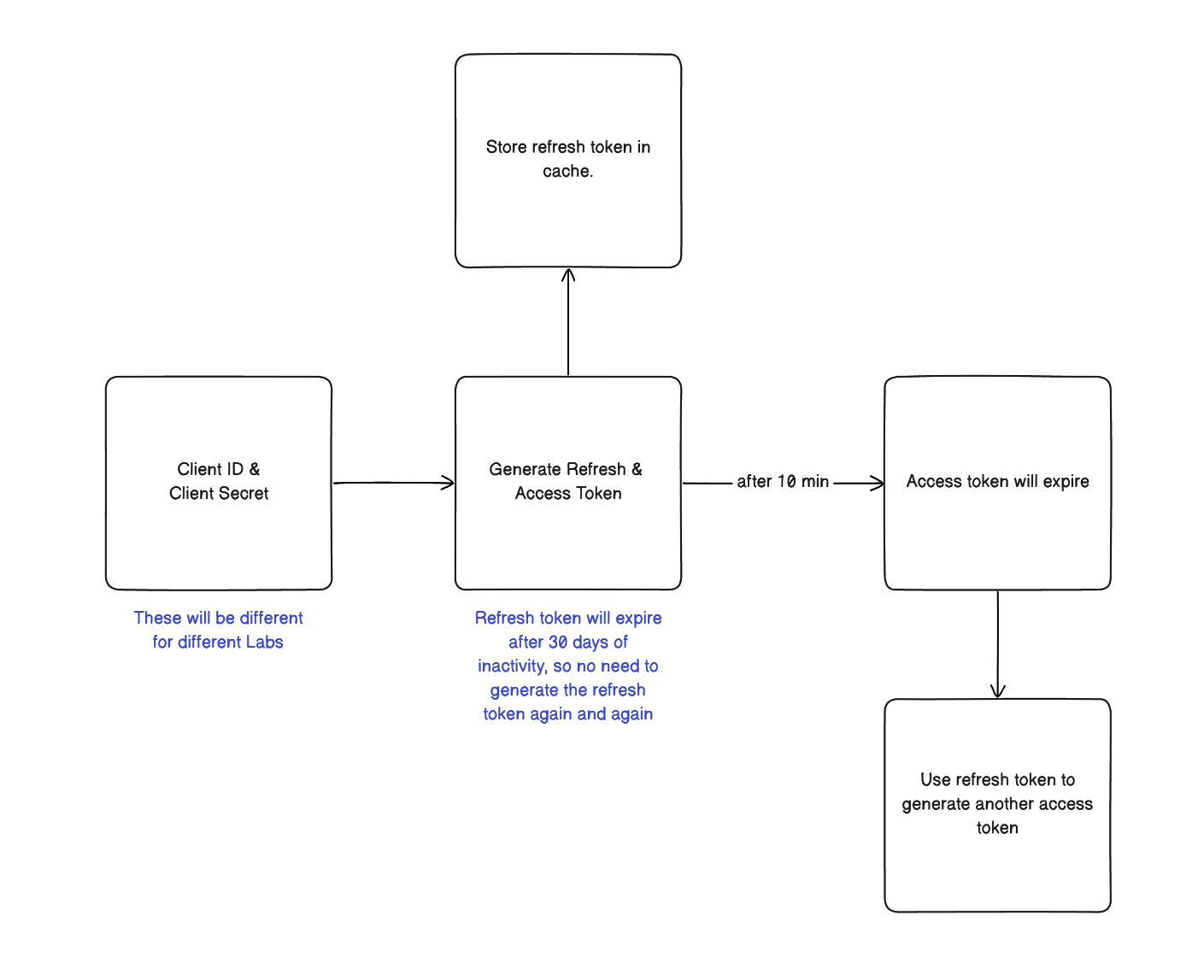 ### Flow Breakdown
1. **Initial Authentication**: Use your Client ID and Client Secret to generate both an access token and refresh token
2. **Token Storage**: Store the refresh token securely in cache for future use
3. **API Access**: Use the access token (valid for 10 minutes) for all API requests
4. **Token Refresh**: When the access token expires, use the refresh token to generate a new access token without re-authentication
5. **Refresh Token Longevity**: The refresh token remains valid for 30 days of inactivity, eliminating the need for frequent re-authentication
### Key Benefits
* **Access Token**: Valid for 10 minutes, used for API requests
* **Refresh Token**: Expires after 30 days of inactivity; used to obtain new authentication tokens
* **Seamless Experience**: No need to repeatedly provide credentials once authenticated
All authentication tokens should be included in the Authorization header using
the Bearer scheme.
## Getting Started
To integrate with our authentication system:
1. Obtain client credentials (Client ID and Client Secret)
2. Generate an initial auth token using the [token endpoint](/auth/endpoint/get_auth_token)
3. Store both tokens securely
4. When the auth token expires, use the [refresh endpoint](/auth/endpoint/get_auth_token_refresh) to get the auth token again with logging again.
### Flow Breakdown
1. **Initial Authentication**: Use your Client ID and Client Secret to generate both an access token and refresh token
2. **Token Storage**: Store the refresh token securely in cache for future use
3. **API Access**: Use the access token (valid for 10 minutes) for all API requests
4. **Token Refresh**: When the access token expires, use the refresh token to generate a new access token without re-authentication
5. **Refresh Token Longevity**: The refresh token remains valid for 30 days of inactivity, eliminating the need for frequent re-authentication
### Key Benefits
* **Access Token**: Valid for 10 minutes, used for API requests
* **Refresh Token**: Expires after 30 days of inactivity; used to obtain new authentication tokens
* **Seamless Experience**: No need to repeatedly provide credentials once authenticated
All authentication tokens should be included in the Authorization header using
the Bearer scheme.
## Getting Started
To integrate with our authentication system:
1. Obtain client credentials (Client ID and Client Secret)
2. Generate an initial auth token using the [token endpoint](/auth/endpoint/get_auth_token)
3. Store both tokens securely
4. When the auth token expires, use the [refresh endpoint](/auth/endpoint/get_auth_token_refresh) to get the auth token again with logging again.